 EPUBLab
Fix mixed-up columns in a PDF-to-EPUB conversion
Columns get mixed up when a converter reads each line straight across the page, so every line joins half a sentence from one column with half a sentence from the next. EPUBLab finds the gaps between columns and reads each column top to bottom before moving to the next.
Try five pages from your PDF before converting the full book.
Updated:
Private files. Never used for training. Deleted automatically, or right away when you press Delete now.
See the difference in reading.
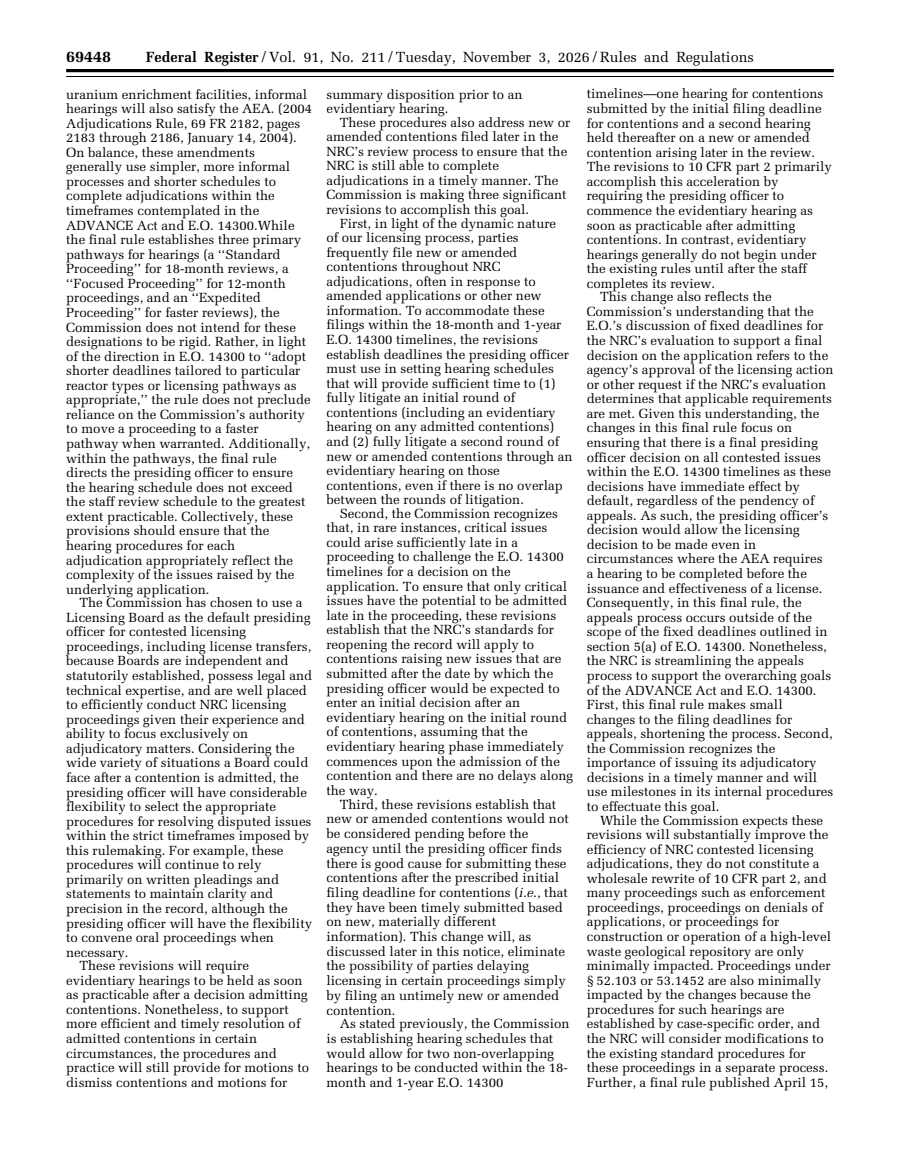
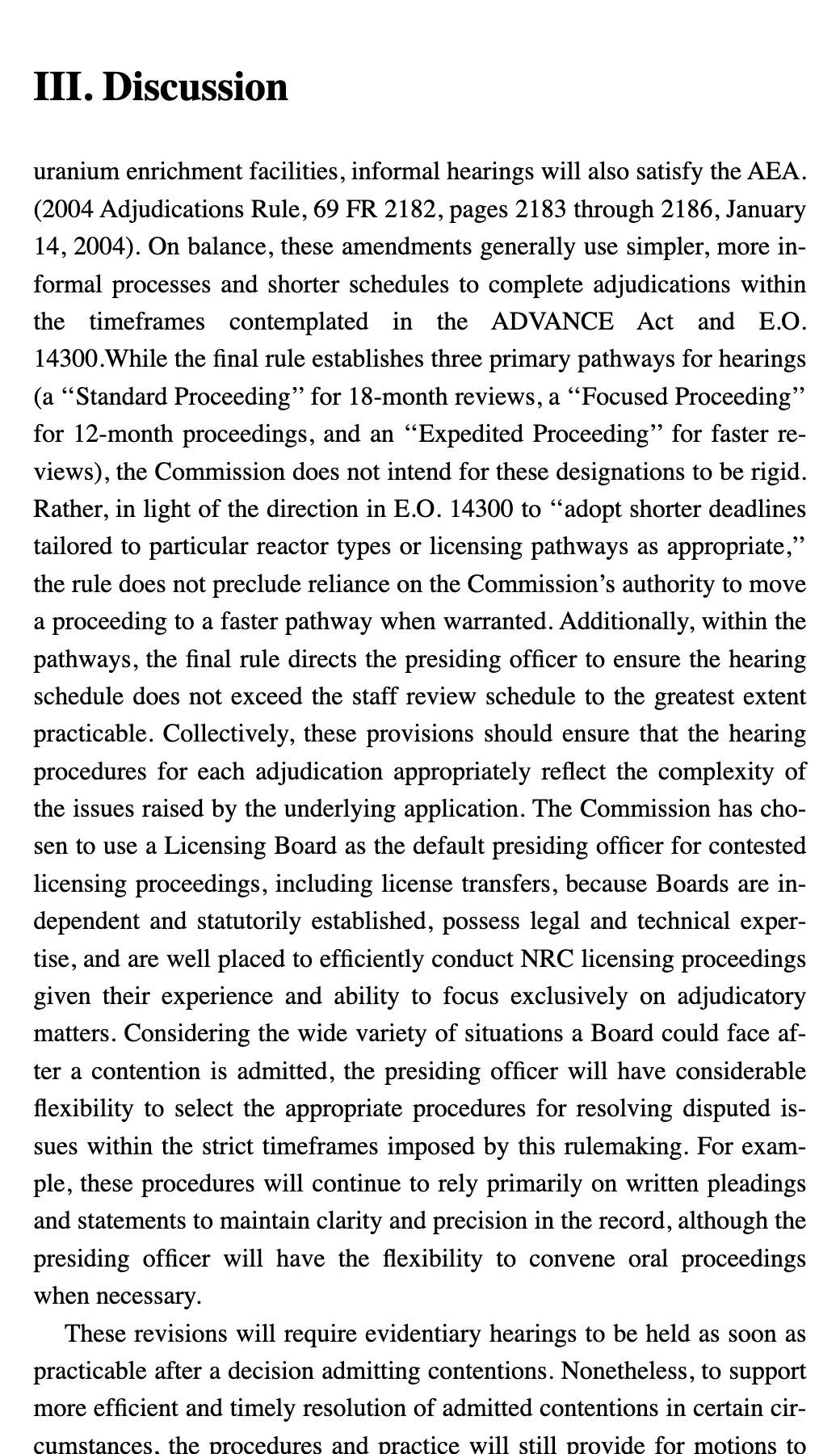
Why it happens
A PDF stores characters with positions, not columns. Some converters follow the order in which the PDF draws the text, others sweep each line from left to right; on a two- or three-column page both can mix the columns, and the result reads like nonsense.
How EPUBLab keeps the columns apart
- It looks for vertical channels of white space that run down the page and splits the page into columns there, then reads each column in order.
- Running headers, page numbers and rotated text in the margin are detected separately, so they don't break the columns.
- Paragraphs that continue from the bottom of one column to the top of the next are joined.
Where it still fails
- On a two-column arXiv paper in our benchmark, another engine (pdf_oxide's extract_text) keeps more continuous text than ours. The two-column case shows the numbers.
- Tables are read as text in reading order; they are not rebuilt as tables.
| Engine | 8-gram recall |
|---|---|
| EPUBLab engine (EPUB output) | 0.767 |
| EPUBLab engine (plain text) | 0.765 |
| pdf_oxide · extract_text | 0.726 |
| pdf_oxide · to_plain_text (XY-cut) | 0.658 |
| pdf_oxide · Markdown | 0.653 |
| PDFium · text().all() | 0.746 |
| OpenDataLoader PDF (local mode) | 0.749 |
| pdftotext (Poppler) | 0.743 |
PDFs with selectable text only. Scanned PDFs are not supported yet.
FAQ
Is it free?
Every file gets a free sample of up to 5 pages before you pay anything, so you can judge the result on your own book. The Free plan converts up to 100 pages a month; Pro and Business convert more.
Will the EPUB be perfect?
No converter can promise that, and we don't. When the engine detects problems (unreadable glyphs, doubtful reading order) it shows a warning instead of hiding it, and the sample shows you the hard parts before you pay.
Should I use Calibre instead?
If your PDF is a simple single-column text, Calibre's free converter may be enough. EPUBLab is for the hard cases: broken paragraphs, repeated headers and page numbers, footnotes, columns and chapters.