 EPUBLab
Read a PDF on Kindle without zooming
A PDF opens on a Kindle as fixed pages, so small screens force you to zoom and pan. Convert it to a reflowable EPUB and send it with Amazon's Send to Kindle, and the text adapts to your font size.
Try five pages from your PDF before converting the full book.
Updated:
Private files. Never used for training. Deleted automatically, or right away when you press Delete now.
See the difference in reading.
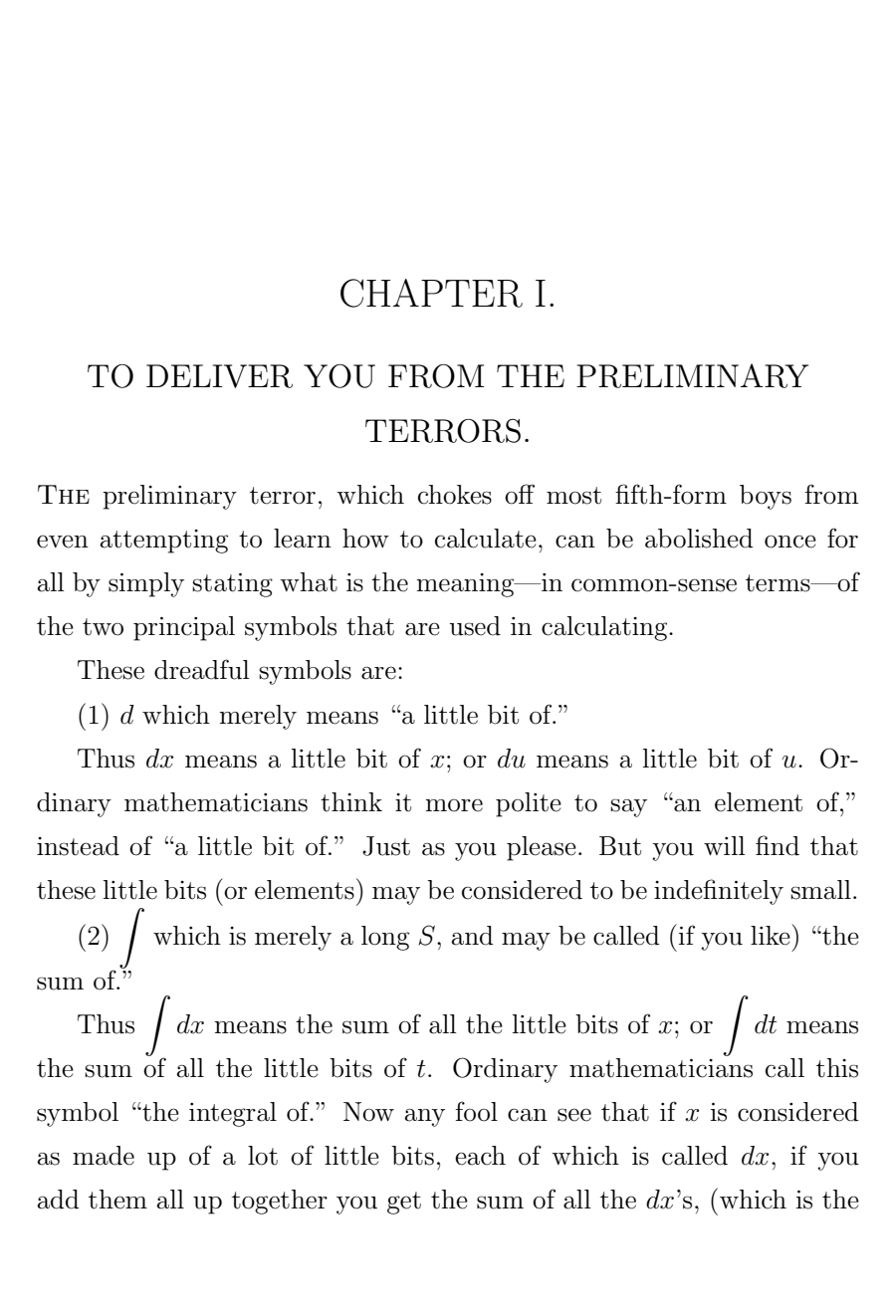
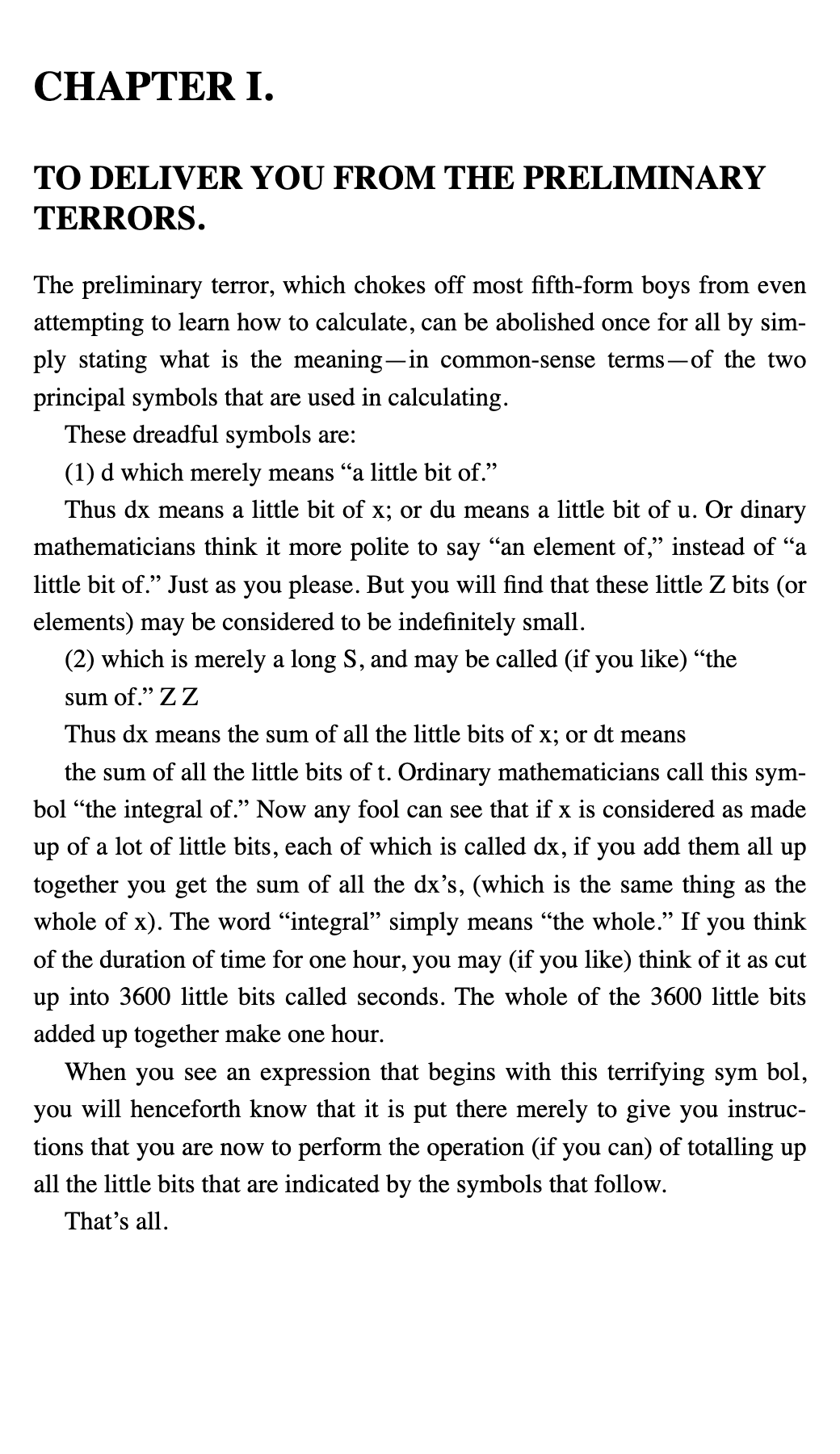
Why a PDF reads badly on a Kindle
A PDF stores where every character sits on a printed page. The Kindle can only scale that page, not re-flow it, so a letter-size page becomes tiny text on a 6-inch screen.
An EPUB stores the text and its structure instead: paragraphs, headings, chapters, notes. The reader lays it out for the screen and the font size you choose.
How to get the EPUB onto your Kindle
- Convert the PDF to EPUB here and check the free sample.
- Send the EPUB with Amazon's Send to Kindle (the app, the web page or your Kindle email address).
- Amazon converts it for the device; it then appears in your library like any other book.
What the engine does with your PDF
- Reads the position of every character and rebuilds the reading order, including multi-column pages.
- Joins lines back into paragraphs and rejoins words hyphenated at the end of a line.
- Removes running headers, footers and page numbers that repeat across pages.
- Turns footnotes into linked notes and builds chapters from the PDF's outline or its headings.
- Writes an EPUB 3 file and checks it with EPUBCheck.
PDFs with selectable text only. Scanned PDFs are not supported yet.
Start free. Upgrade for longer books.
Free
100 pages/month
Try it on your own files. A free sample before every conversion.
Business
$29/month
6,000 pages/month
For teams and libraries: batches, priority and automation.
View BusinessFAQ
Can a Kindle open EPUB files?
Not directly from a USB copy, but Amazon's Send to Kindle accepts EPUB files and delivers them to the Kindle in Amazon's own format.
Should I keep the PDF instead?
Keep the PDF when the layout is the content: comics, sheet music, forms or heavily designed pages. For running text, a reflowable EPUB is easier to read.
Is it free?
Every file gets a free sample of up to 5 pages before you pay anything, so you can judge the result on your own book. The Free plan converts up to 100 pages a month; Pro and Business convert more.
What happens to my file?
Your PDF is deleted as soon as the whole book is converted, or 2 hours after its last conversion. The EPUB is deleted 1 hour after your first download, or 24 hours after it's ready. Files are never published, and never used for benchmarks or training without your explicit permission.