 EPUBLab
Fix footnotes that land in the middle of the text
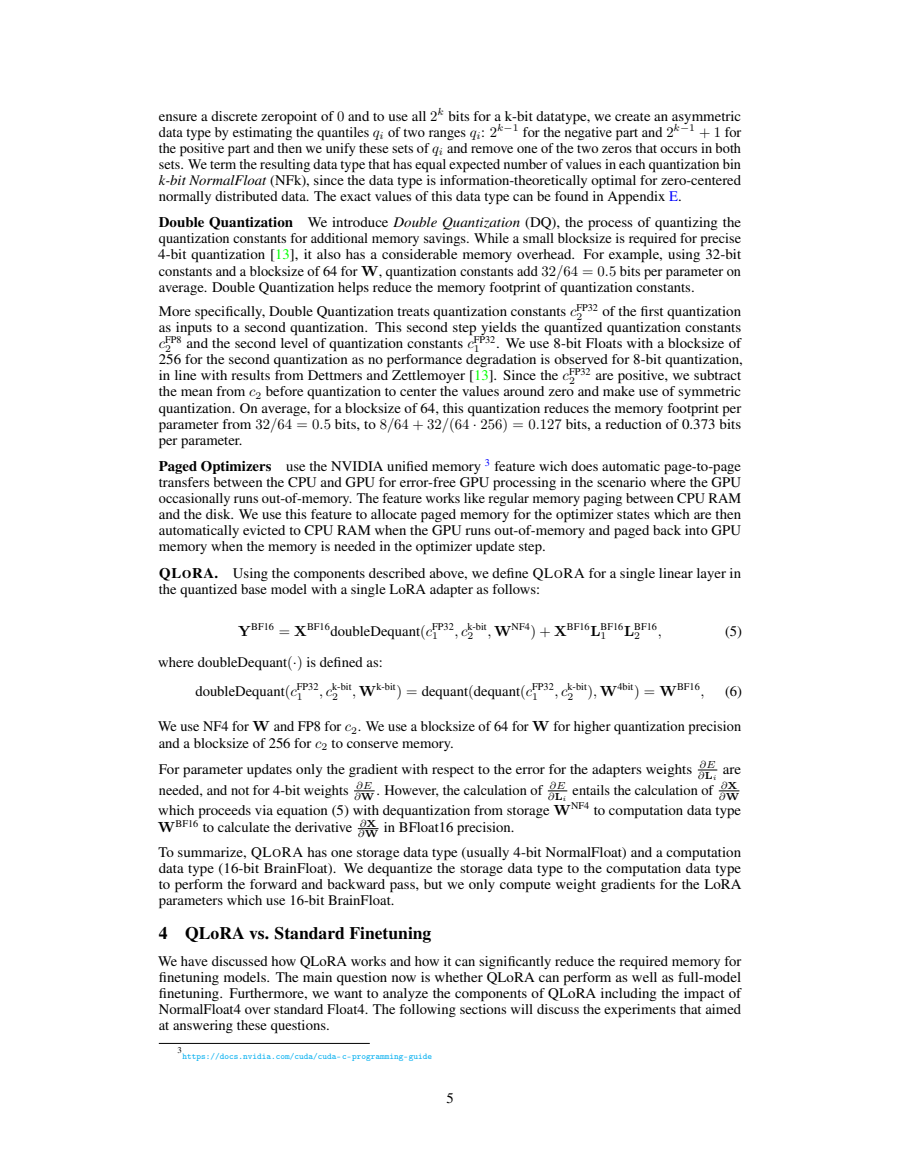
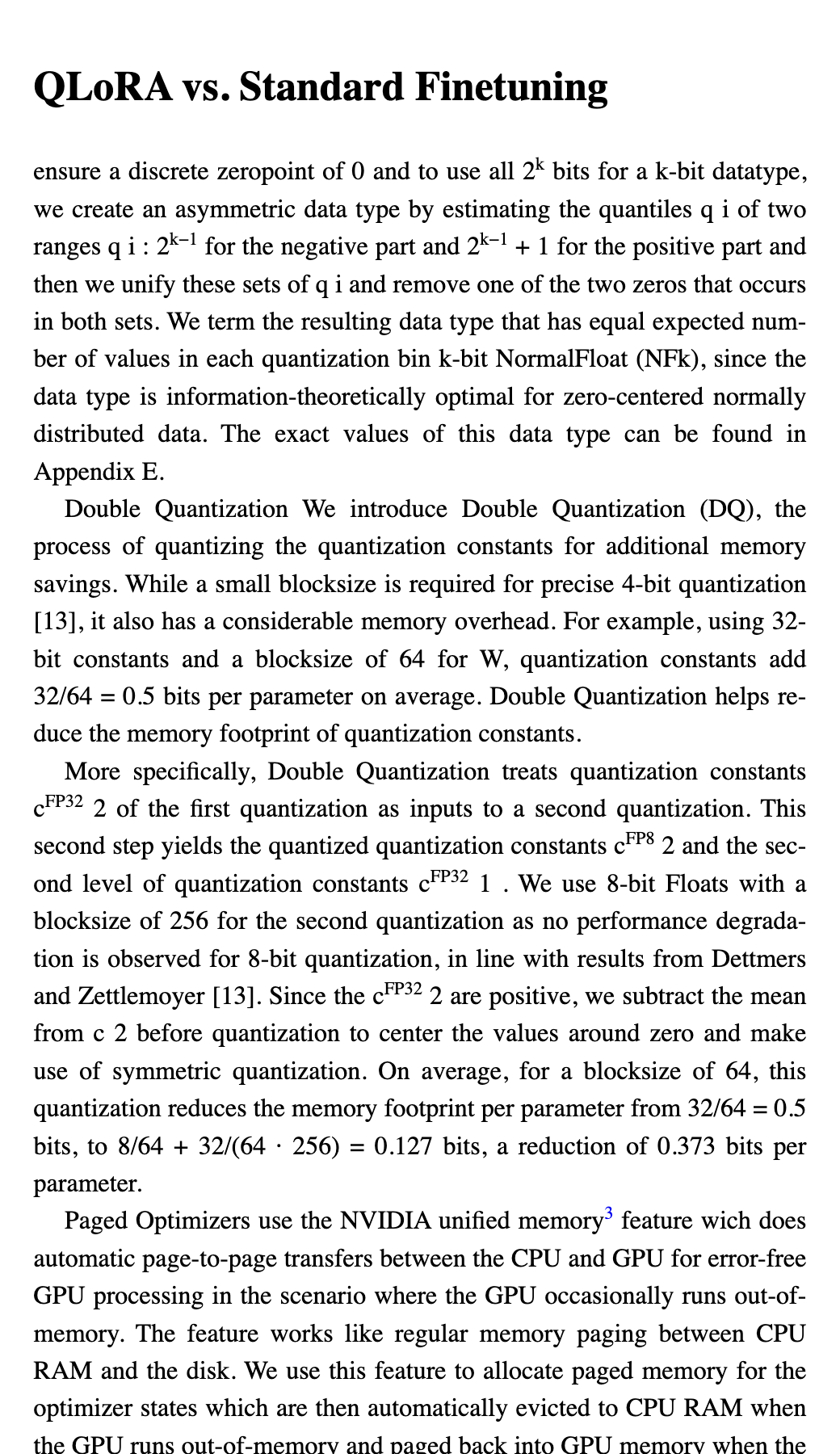
Footnotes land in the middle of the text because a PDF prints them at the foot of each page, between the end of one page's text and the start of the next. EPUBLab moves notes out of the running text and links each one to its reference mark, when the note sits below the body text and starts with a marker that matches a superscript call.
Try five pages from your PDF before converting the full book.
Updated:
Private files. Never used for training. Deleted automatically, or right away when you press Delete now.
See the difference in reading.
Why it happens
In a PDF a footnote is just small text at the bottom of a page; nothing ties it to the number in the text. A converter that copies the page top to bottom pastes the note between two halves of a sentence at every page break.
What EPUBLab does
- Finds small text below the body that starts with a marker (a number or symbol).
- Matches it to a raised call with the same marker in the body text, and turns the pair into a linked note that reading apps can show as a pop-up.
- Keeps endnotes collected at the end of a book where they are, linked from their references.
- Joins the sentence that the page break and the note had interrupted.
Limits
- Notes whose marker does not match a call in the text stay as text.
- On the QLoRA paper in our benchmark, other engines recover more continuous text than ours; the footnote case shows the numbers.
- Whether each note was linked is checked by hand: the benchmark measures text, not links.
PDFs with selectable text only. Scanned PDFs are not supported yet.
FAQ
Is it free?
Every file gets a free sample of up to 5 pages before you pay anything, so you can judge the result on your own book. The Free plan converts up to 100 pages a month; Pro and Business convert more.
Will the EPUB be perfect?
No converter can promise that, and we don't. When the engine detects problems (unreadable glyphs, doubtful reading order) it shows a warning instead of hiding it, and the sample shows you the hard parts before you pay.